Drive theme
Drive is built for grocery stores and click-and-collect (“drive”) shops: a dense, efficient and friendly storefront that uses the whole width of the screen, like the shelves of a supermarket. Basil-green aisles, lemon price stickers and tomato promo badges sit on a light shelf-grey background. It is set in heavy Inter (already shipped by the Sylius shop), so no extra font file is needed.
Desktop (1440 px)
| Scheme | Homepage | Product page | Cart |
|---|---|---|---|
| Light | 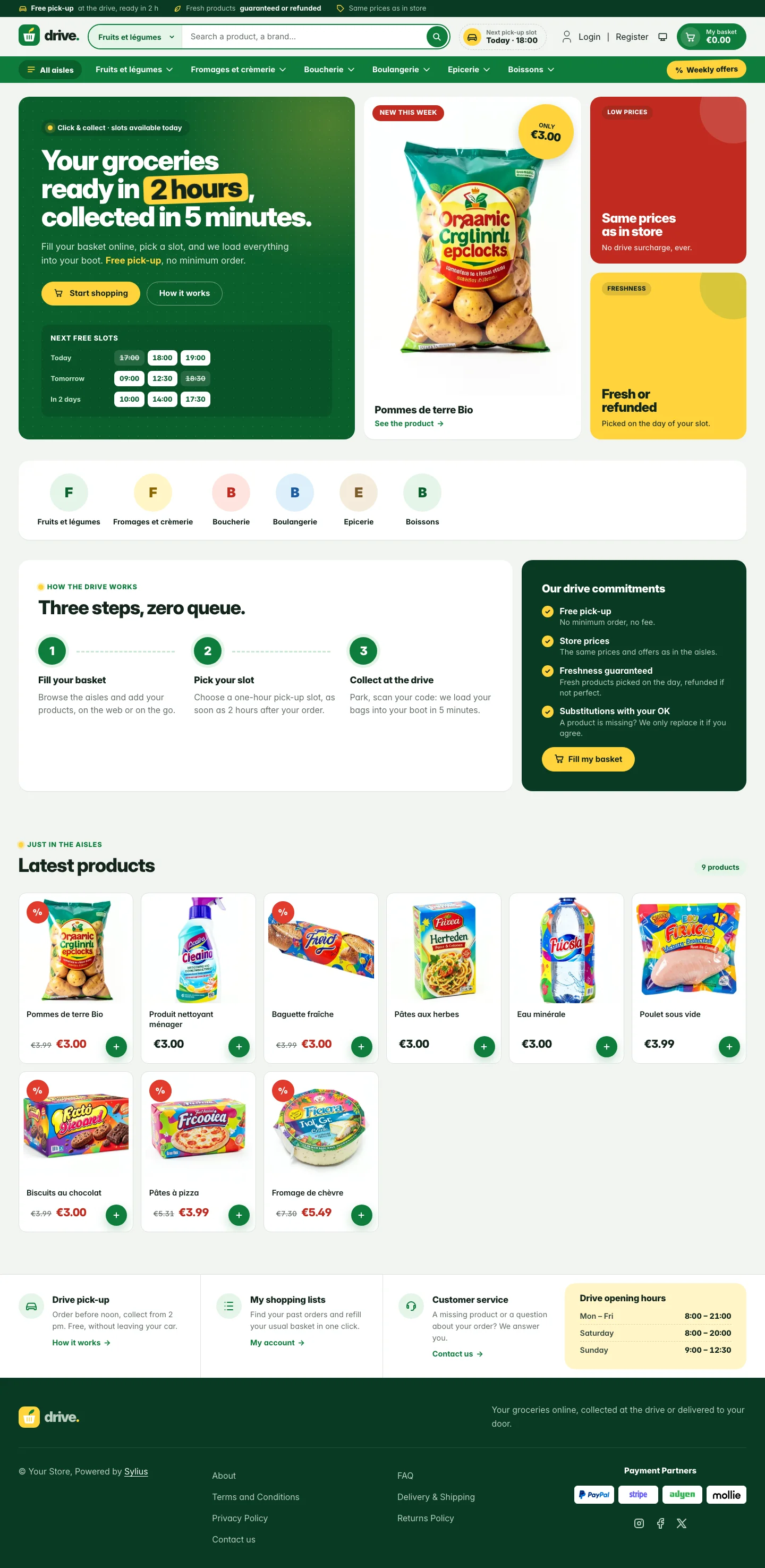 | 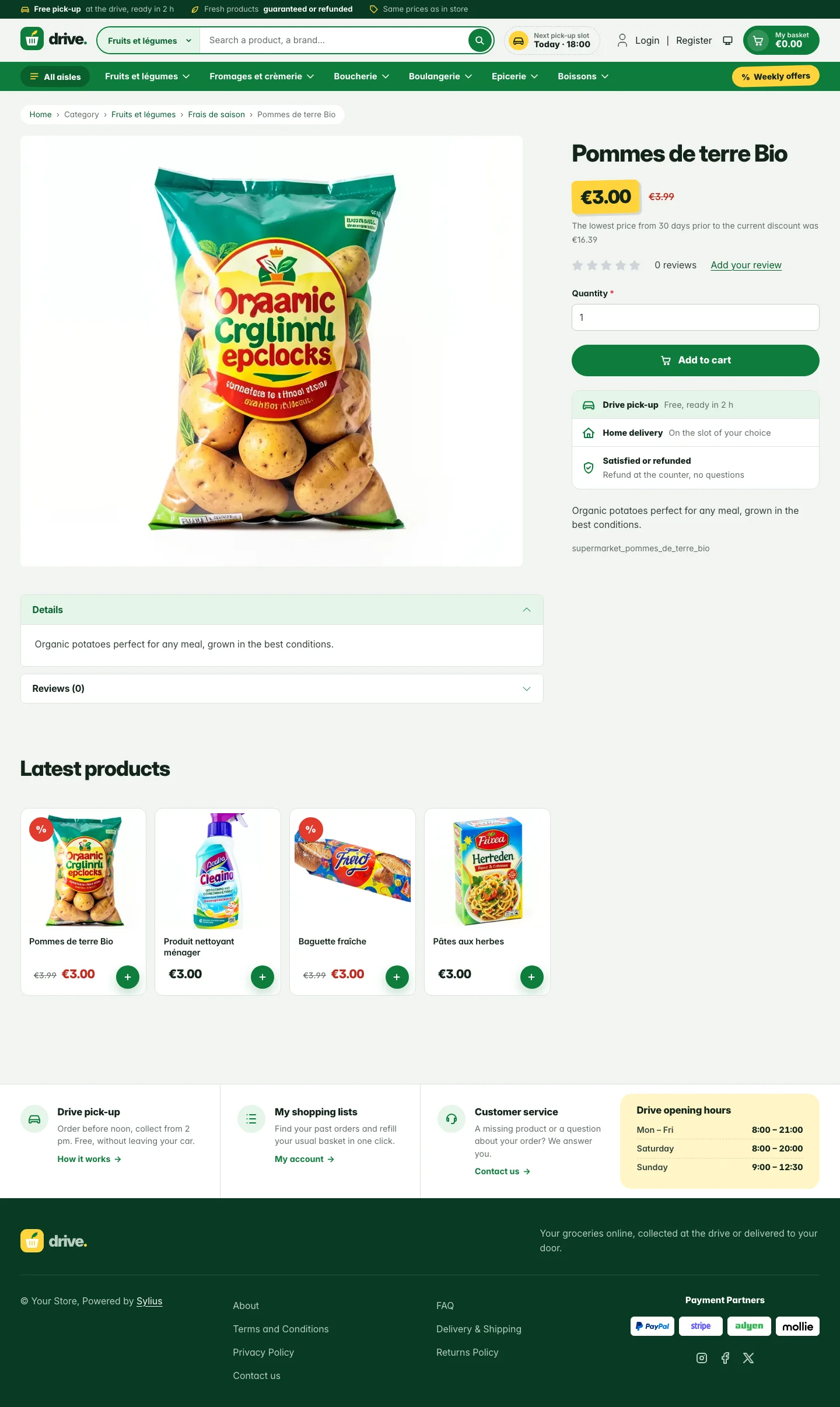 | 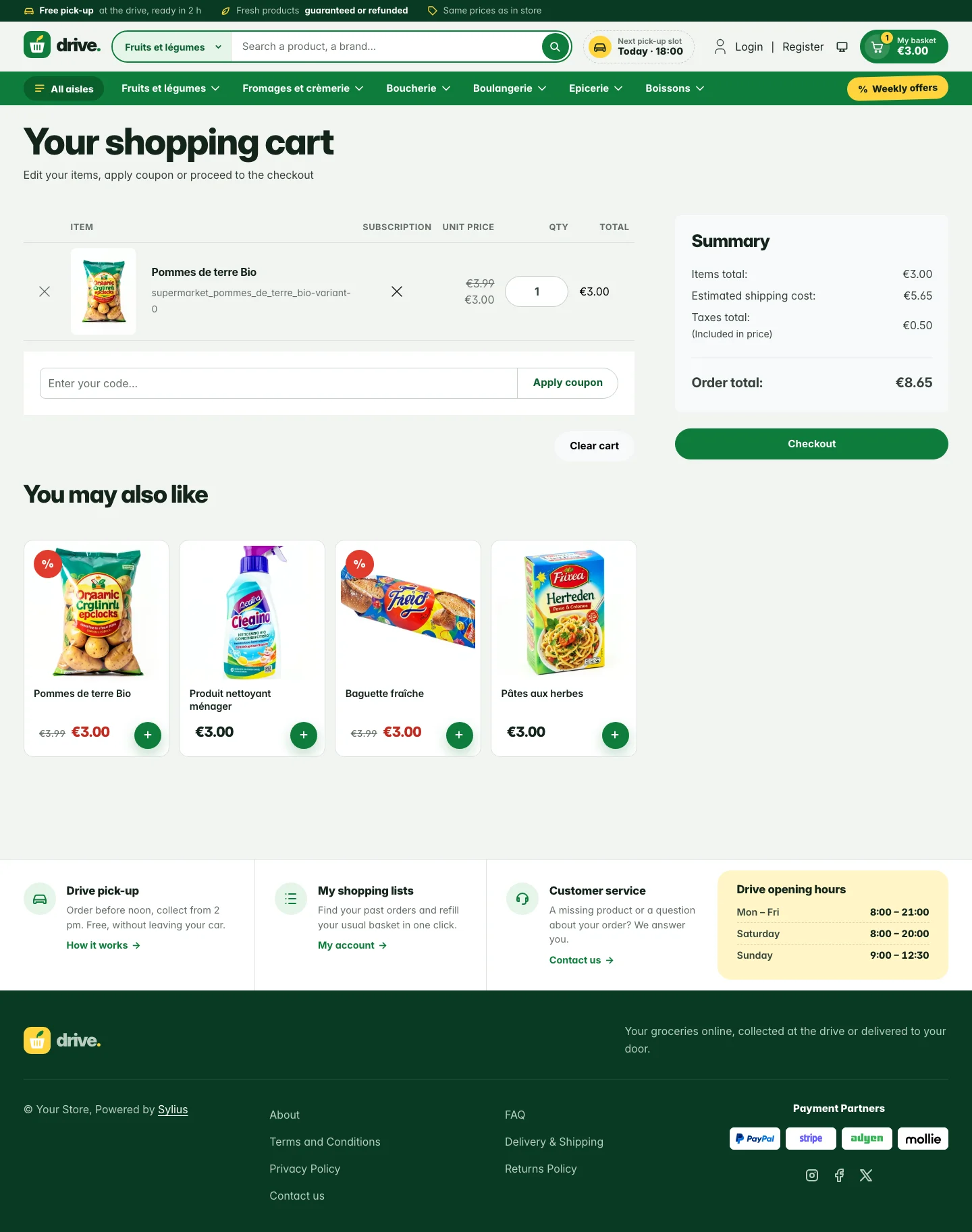 |
| Dark | 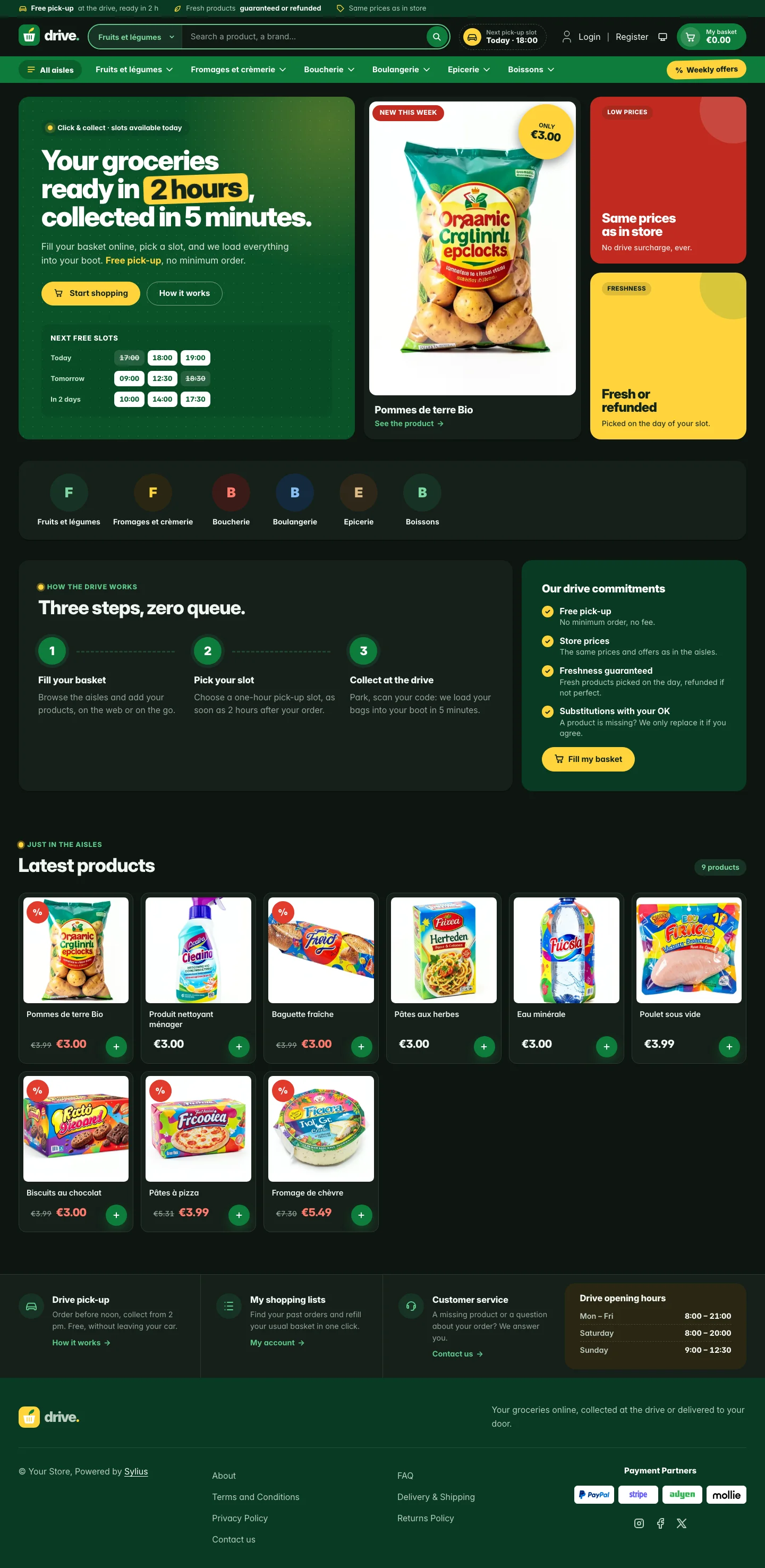 | 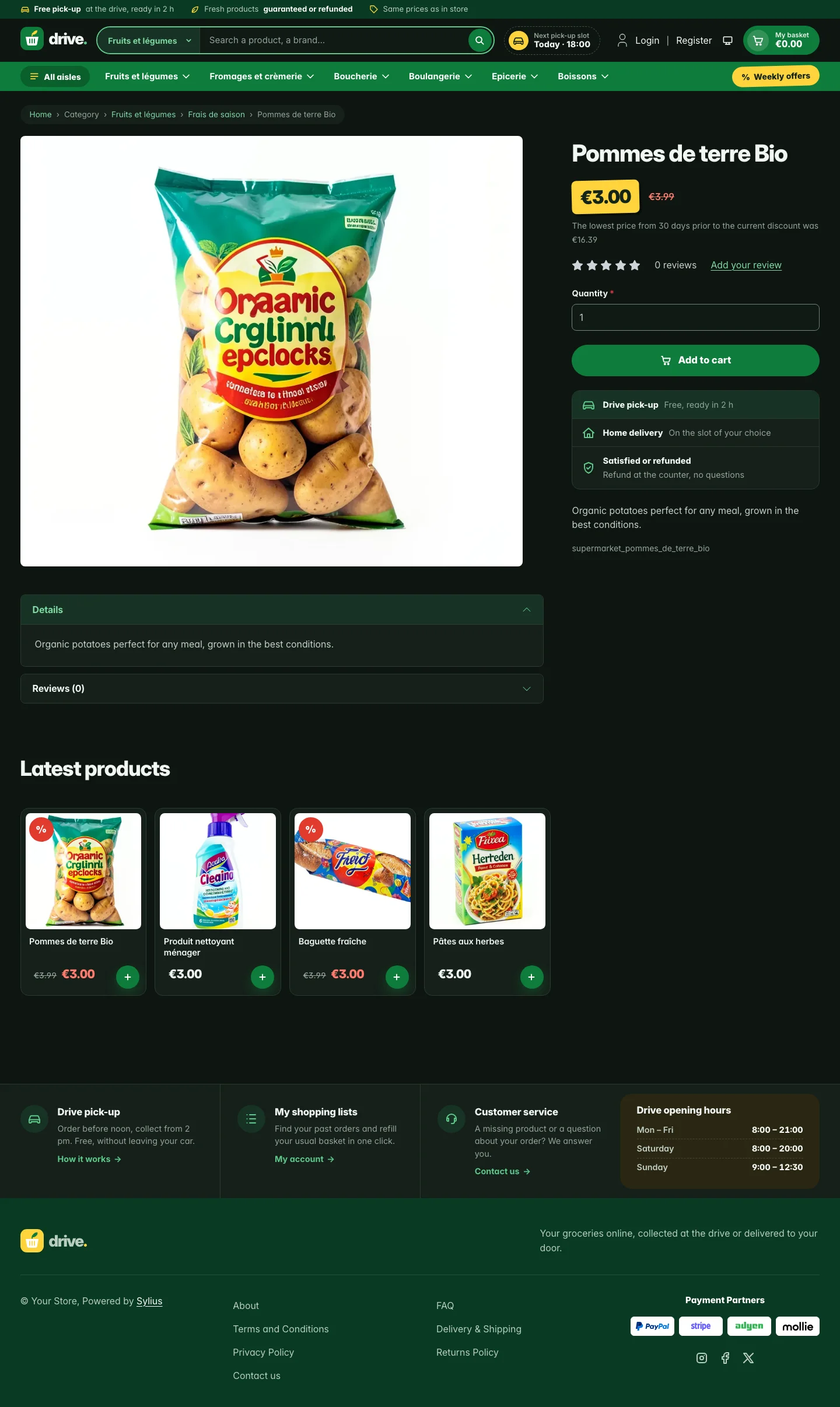 | 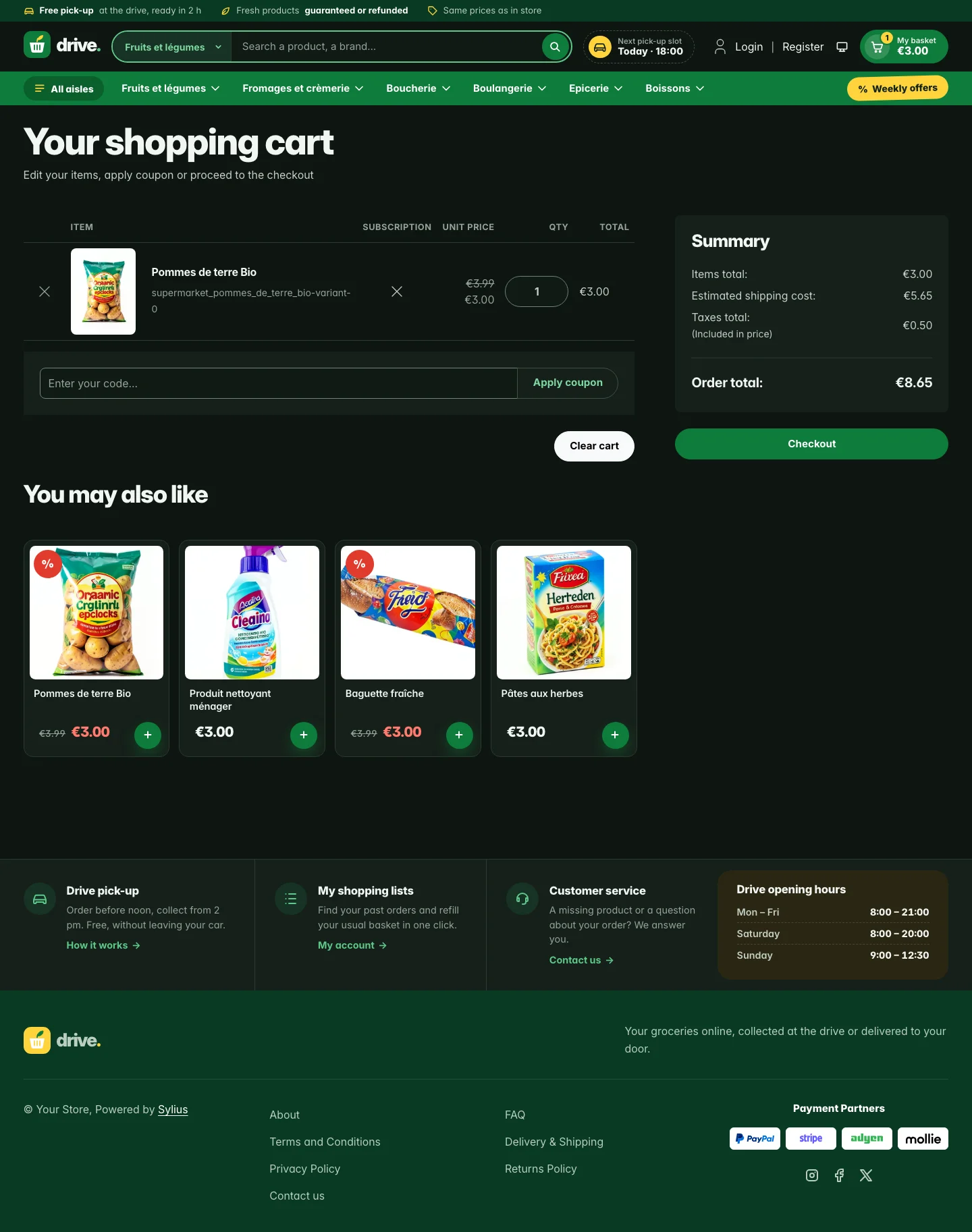 |
Wide screen (2560 px)
| Scheme | Homepage | Product page | Cart |
|---|---|---|---|
| Light | 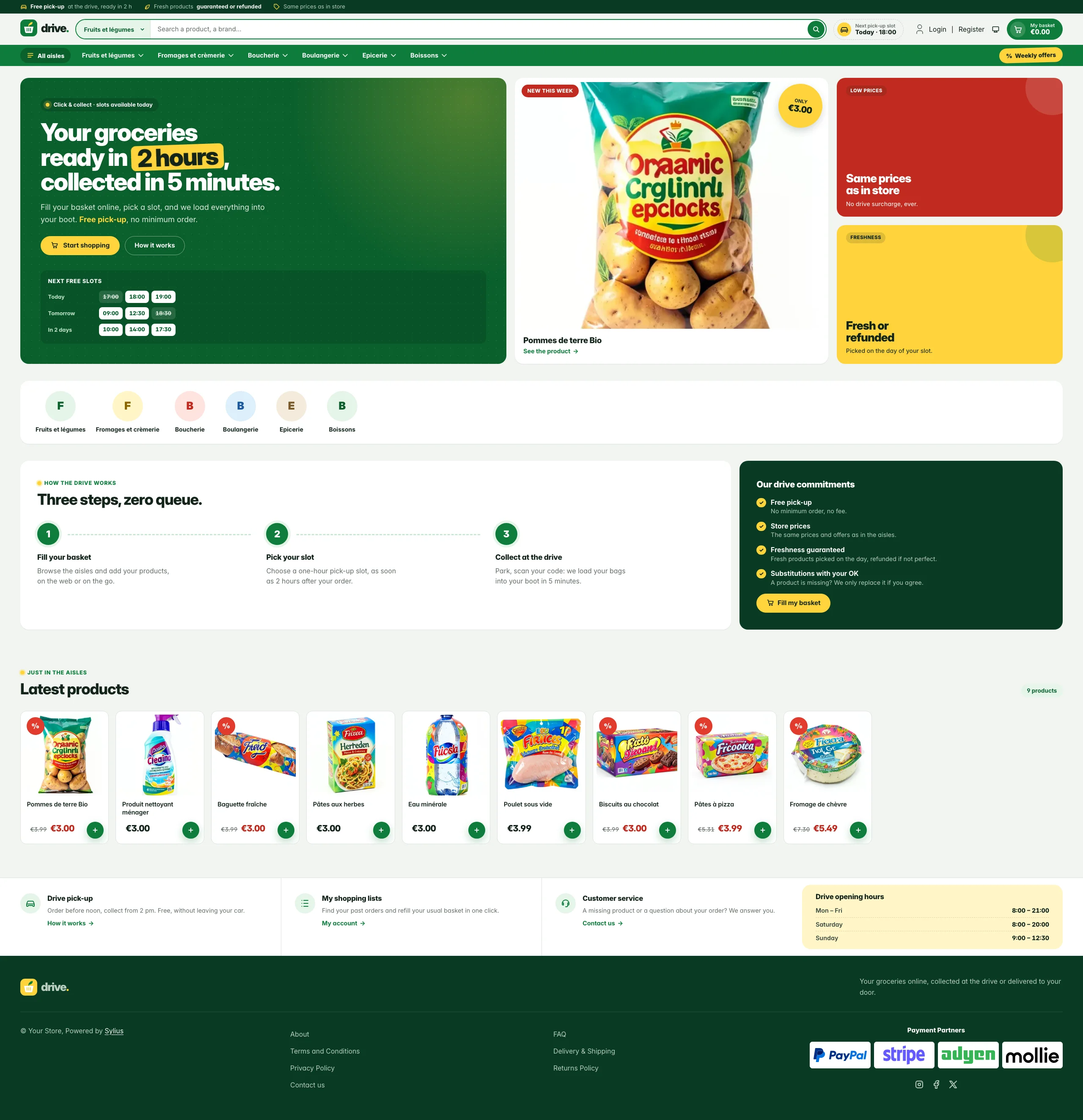 | 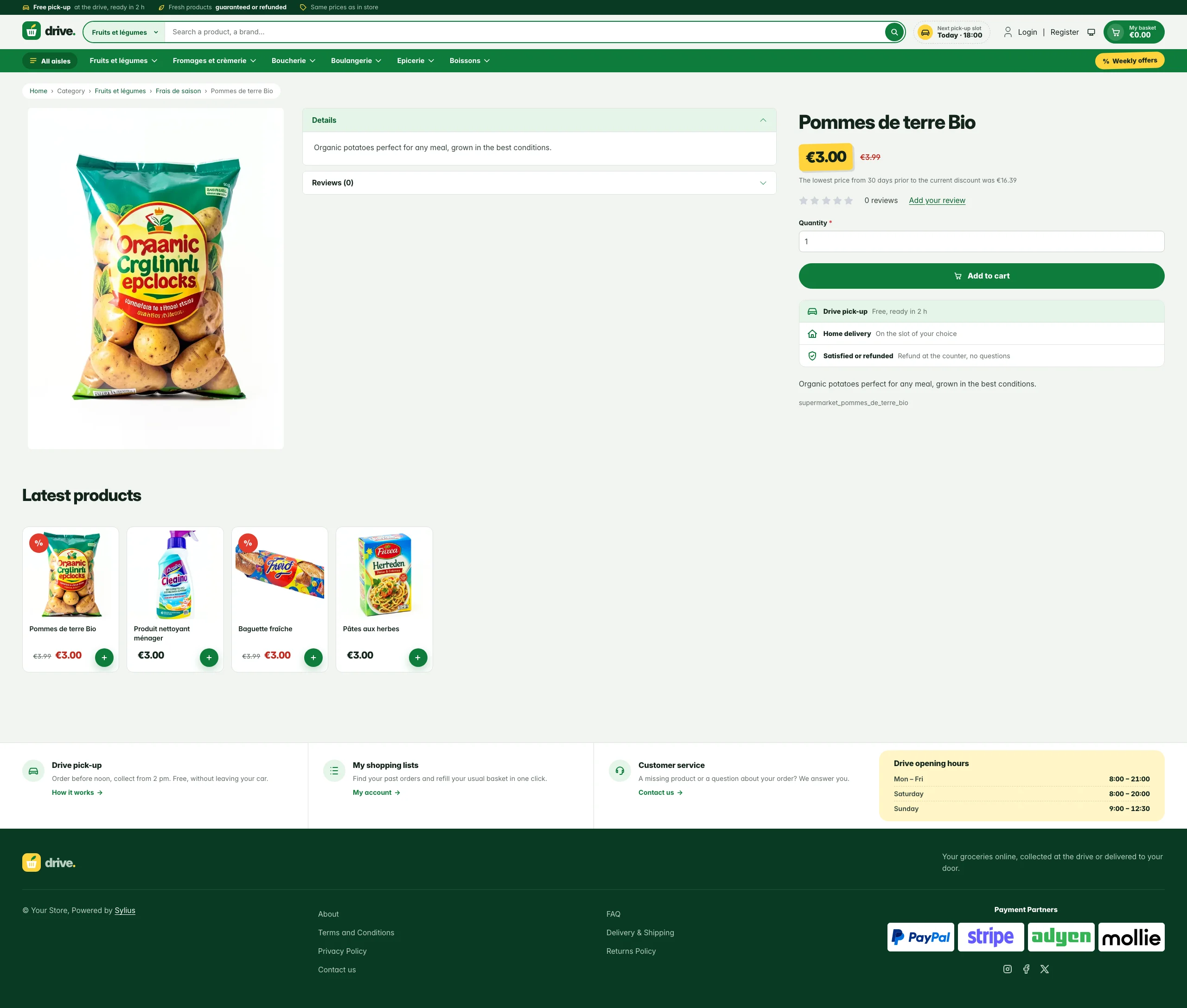 | 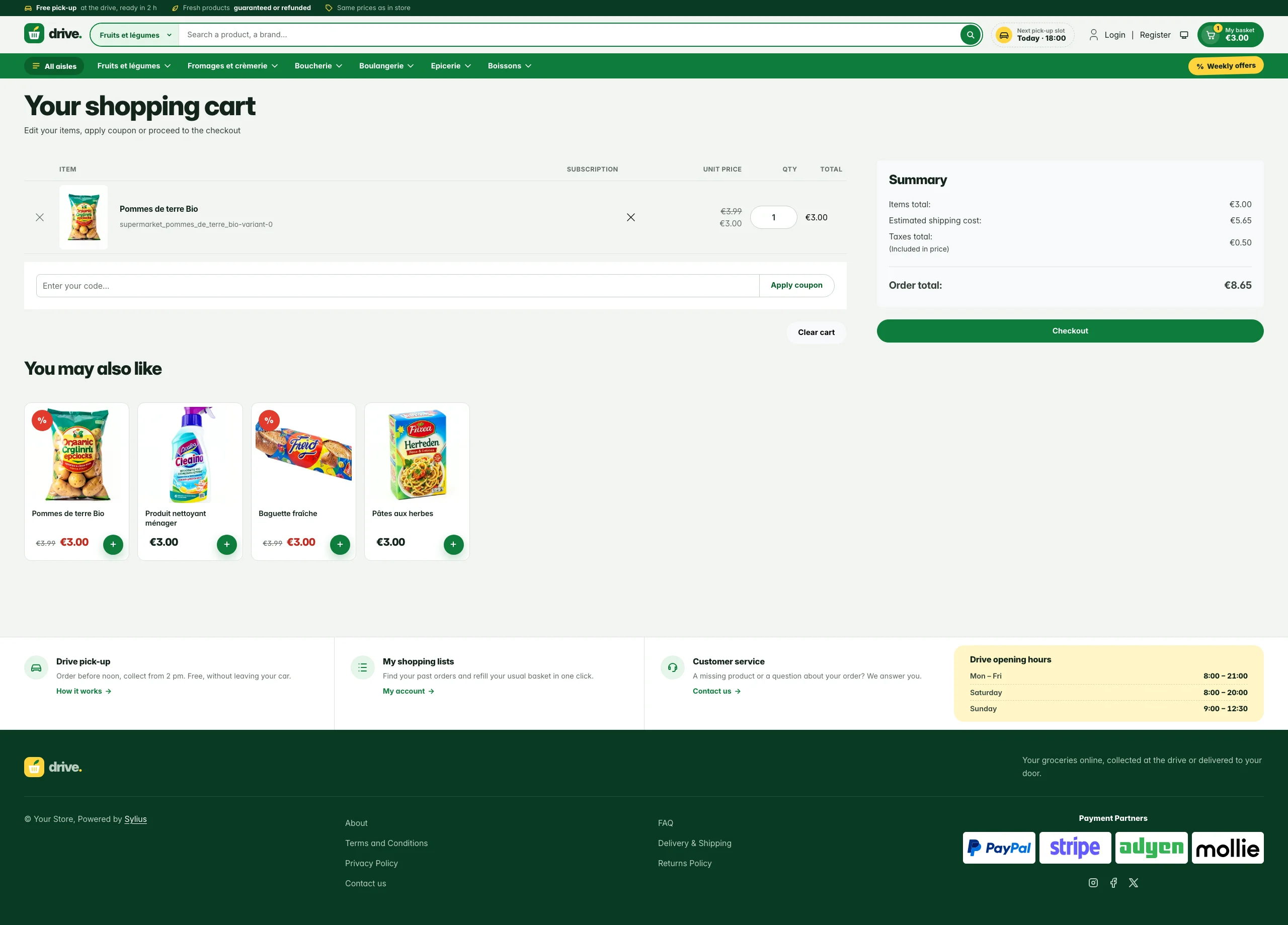 |
| Dark | 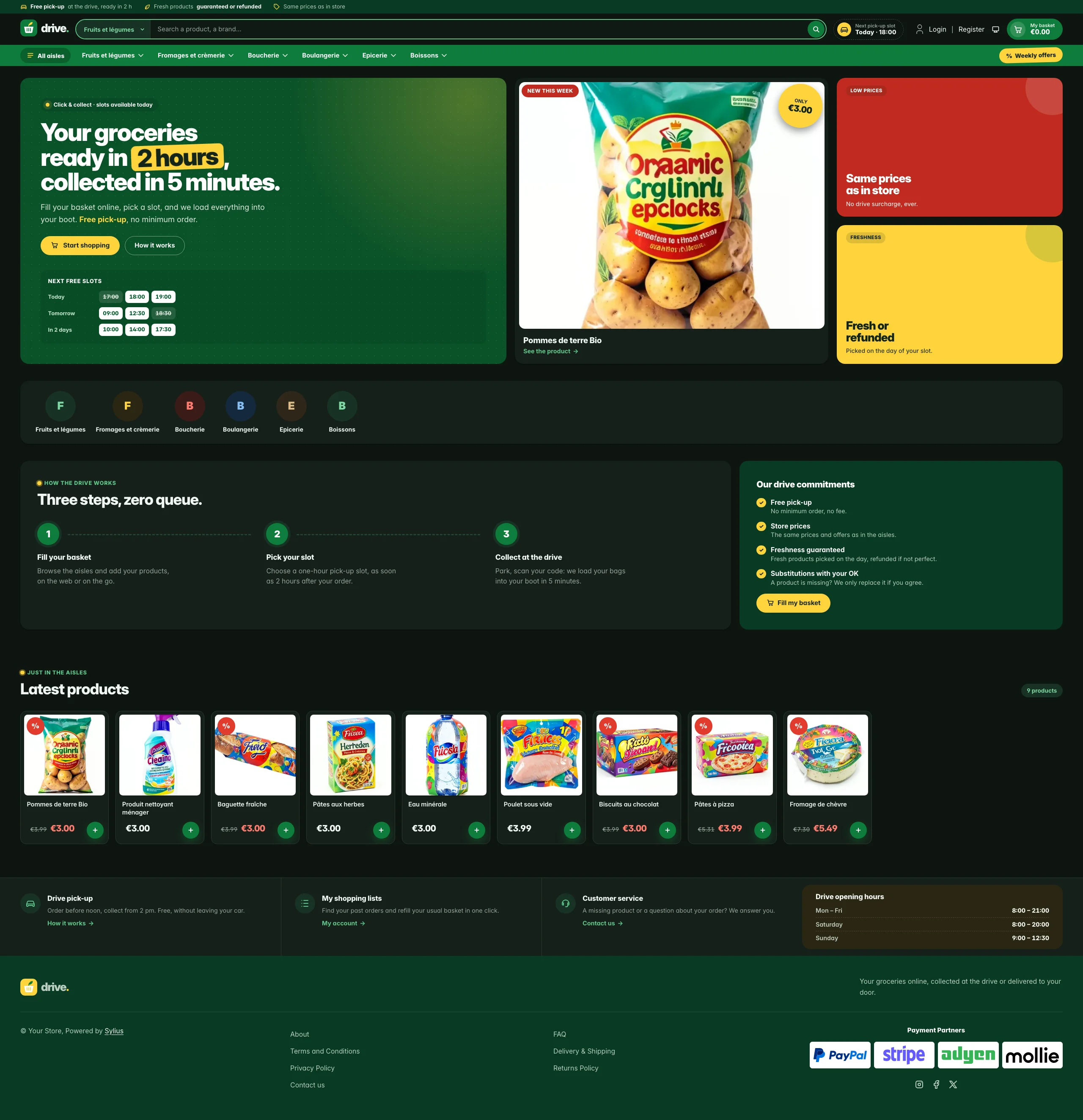 | 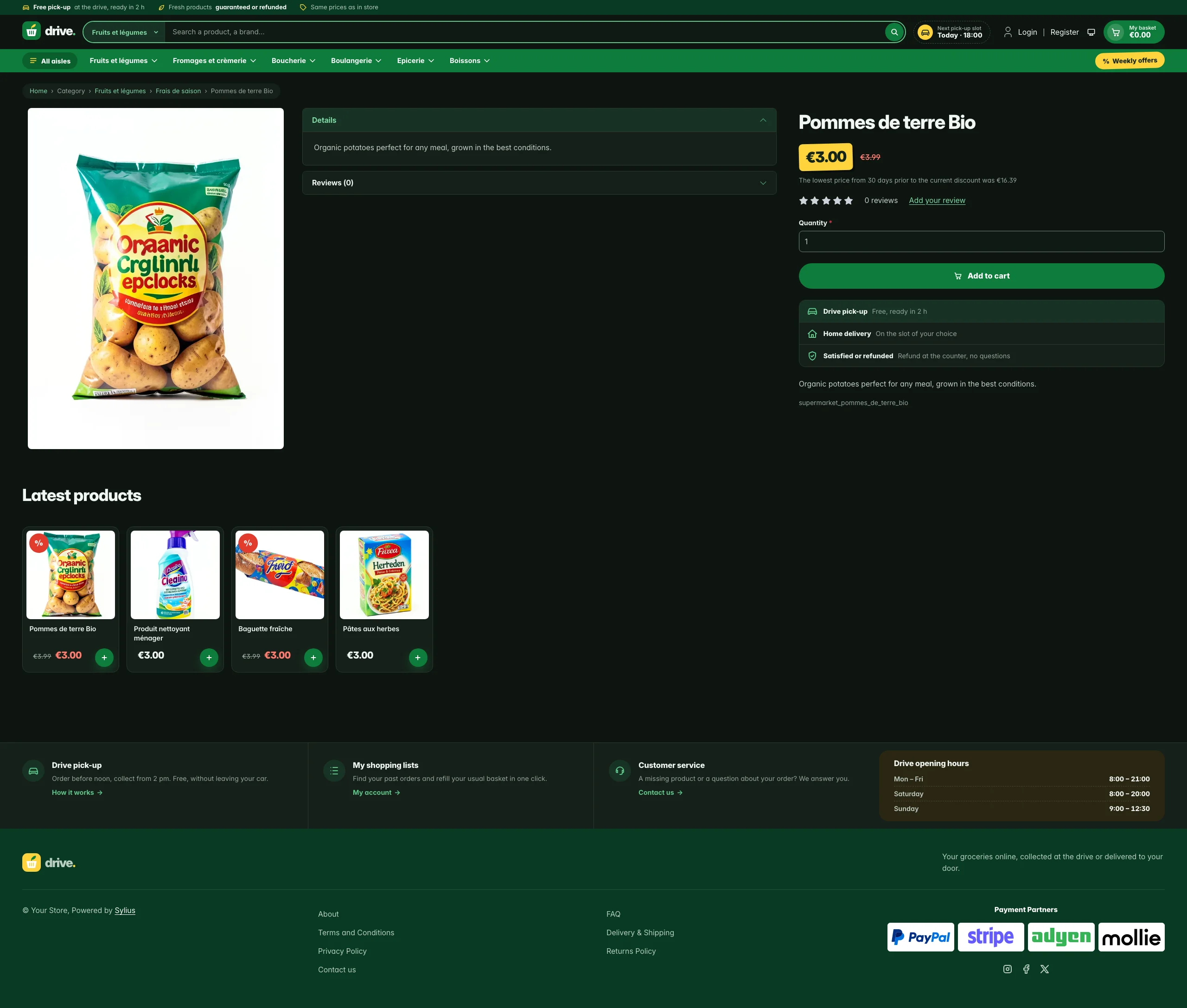 | 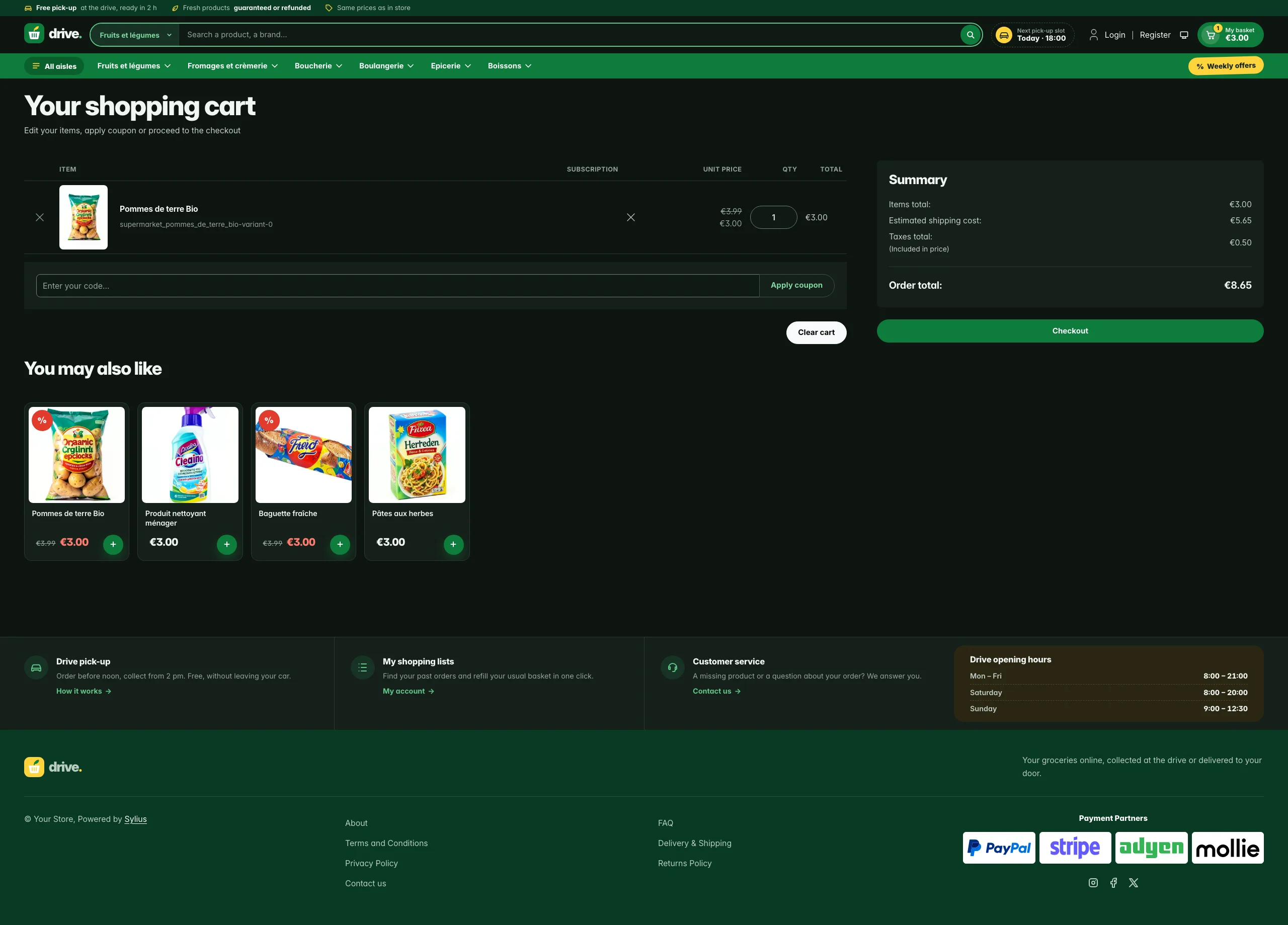 |
Mobile (390 px)
| Scheme | Homepage | Product page | Cart |
|---|---|---|---|
| Light |  |  |  |
| Dark |  |  |  |
- Layout — full screen: every container spans the viewport with a fluid
gutter (
$gutter), and the pages are built from white “shelves” on a shelf-grey background, so wide screens show more products per row instead of empty margins. - Palette — basil green (
#0E7C3A), forest (#083A22), lemon (#FFD43B) and tomato (#E23B2E) on shelf grey (#F2F4F1), with mint (#E5F4E9) for soft highlights. - Dark scheme — the drive after closing time: green-tinted night grey (page
#0E1511, panels#16201A), the pastel tints turned into deep washes of the same hues, a lighter leaf green (#5DC98A) for green text and links, and the basil, lemon and tomato fills kept as they are. - Typography — heavy, tightly-tracked Inter (800–900) for headings and prices, like a weekly flyer; tabular figures for prices and pick-up times.
- Header — a forest service strip (free pick-up, freshness, store prices) above the locale and currency switchers; a white row with the basket-and-leaf wordmark, a large search field with an aisle selector (Sylius searches inside one category: the current one by default), a next pick-up slot chip, the account links and a basil basket button showing the item count and the basket total; then a full-width basil aisles bar with the category menu and a lemon “weekly offers” sticker. On mobile, the aisles open in an offcanvas panel from the menu button.
- Homepage — the hero puts three blocks side by side: a basil panel with
the headline, two calls to action and a slot board of the next pick-up
slots (illustrative, not a booking form); the newest product of the channel as
the weekly flyer with a lemon price sticker; and two promo tiles (store
prices, freshness). The promise block (
theme_promisehookable) explains the drive in three steps next to the store’s commitments. Then come sixteen latest products in a dense grid; the deals and new collection blocks are hidden. - Product tiles — compact white tiles with a square image, a two-line name, a big price and a round basil ”+” basket button; a tomato ”%” sticker marks discounted products (the whole tile is clickable, on the homepage and on category pages alike).
- Category page — the sub-categories are listed in a white sidebar card.
- Product page — the price sits right below the product name as a lemon shelf label, a full-width basil add-to-cart button, and a pick-up promise under it (drive pick-up, home delivery, satisfied or refunded). The main image never grows past the screen height; from 1600 px the page reads as three columns (gallery, details, buy box) instead of one oversized image.
- Cart and checkout — basil side-basket header, white summary panels; the checkout header uses the Drive wordmark and responsive category navigation.
- Footer — a white band of drive services (pick-up, shopping lists, customer service) with the drive opening hours, above a forest footer with the wordmark and the Sylius links.
- Translations — every Drive-specific text lives in its own
drivetranslation domain (translations/drive.en.yamlanddrive.fr.yaml), so the promises, slots and opening hours can be adapted without touching the templates. - Accessibility — visible lemon focus rings, labelled search fields, “full” slots announced to assistive technologies, and no motion for visitors who prefer reduced motion.
Install it with:
castor sylius:theme:setup drive